20/10/2026 19:34
Who Should See the Stamp Sample? Telegram Story Privacy for Cambodian Custom-Stamp Shops

A custom-stamp sample can explain your workmanship while accidentally revealing a customer's business name, phone number or unfinished branding. For a Cambodian shop promoting stamps for packaging, loyalty cards or craft projects, the important decision comes before posting: who actually needs to see this particular image? Telegram stories offer audience choices, but choosing viewers is only one part of a reliable process. This guide connects sample preparation, audience selection, customer replies and promotion planning. It also explains why purchasing a Telegram-related service cannot substitute for reaching the right buyers or getting explicit permission to produce an order.
1. Give each sample one job
Start by deciding whether the image requests approval, invites feedback or demonstrates a product publicly. These purposes need different information. An approval proof needs the exact artwork and its version. A feedback preview might compare two handle styles. Public promotion needs an understandable example and a useful next step. Trying to accomplish all three with one story often leaves customers uncertain about whether they are seeing a finished product or a draft.
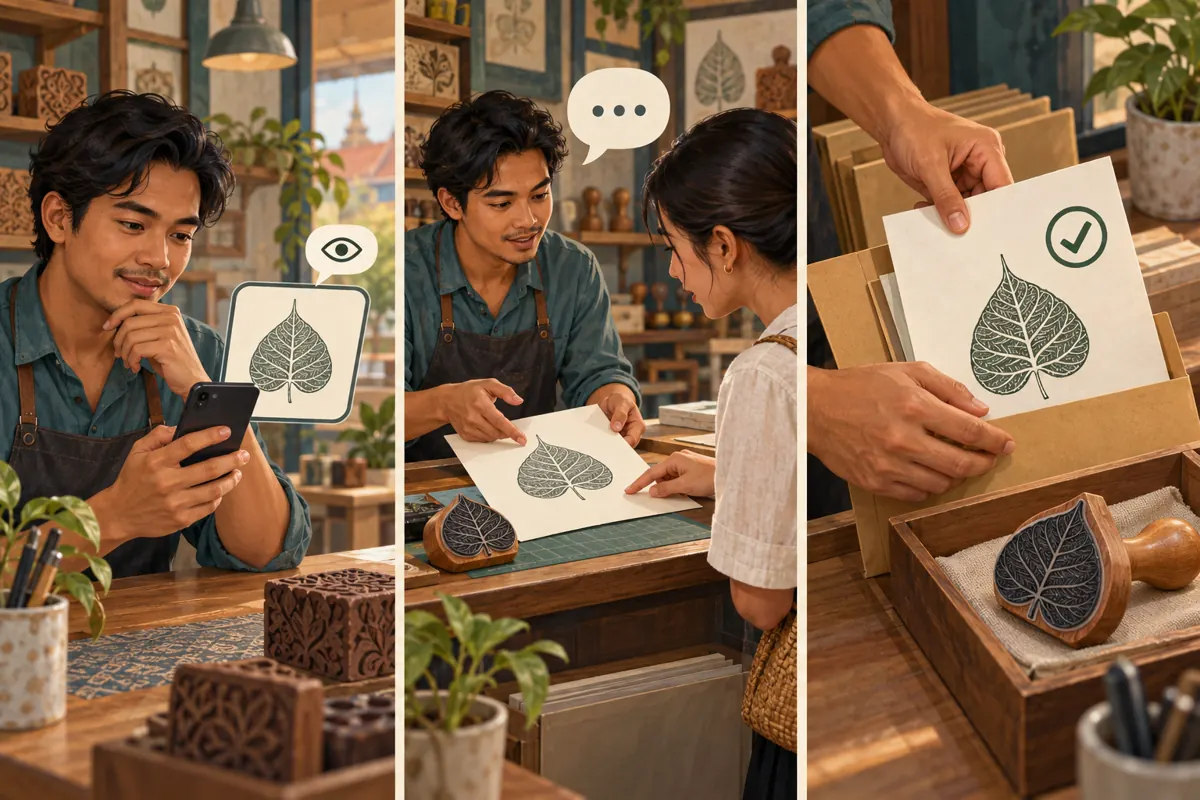
Consider a hypothetical Phnom Penh stamp shop preparing a packaging stamp for a small bakery. The bakery needs to inspect its lettering, while prospective customers only need to understand the impression size and available handle style. The shop can keep the bakery's proof in the order conversation and photograph a separate botanical demonstration stamp for promotion. This creates useful marketing material without making a customer's unfinished design the shop's public example.
2. Choose between a direct message, selected viewers and public promotion
Use a direct conversation when one customer must answer a specific production question. A story adds unnecessary uncertainty when the actual task is confirming spelling or approving a layout. A selected-viewer story is more suitable for a non-sensitive preview shared with several people who have agreed to offer feedback. Public promotion suits demonstration material that the shop owns or has permission to show.
Telegram's official story announcement identifies four audience options: Everyone, My Contacts, Close Friends and Selected Contacts, with inclusion and exclusion controls. My Contacts should not be treated as a customer category: a shop's contacts may include suppliers, delivery workers and personal acquaintances. Likewise, a Close Friends list maintained for personal use is not automatically appropriate for business previews. Choose the audience according to the image's purpose, then inspect the actual recipients.
3. Prepare a demonstration that teaches something
A useful stamp photograph answers a practical question. Show the impression beside the stamp so viewers can distinguish the rubber surface from the printed result. If size matters, include a clearly readable measurement reference and specify whether it describes the impression or the handle. Explain the surface used for the example. A result on plain paper should not imply that the same ink will perform identically on every packaging material.
Before photographing, clear the workbench of invoices, delivery labels, customer proofs and other jobs. Inspect the background and the stamp itself, not just the main impression. For general promotion, a shop-owned decorative motif is often easier to reuse than a customer's logo. If a real customer's work is essential to the explanation, ask about that particular use and record the answer. Approval to manufacture a stamp does not itself establish permission to advertise with the artwork.
4. Set the audience before publishing
Open the story composer in the Telegram account used for the shop and select the prepared image. Write the caption before choosing recipients so the purpose stays clear. A hypothetical feedback caption could read: “Packaging-stamp sample: which handle looks easier to grip? Please reply with your reason. This is a demonstration, not an order proof.” Use Khmer for customers who prefer it, and retain any necessary product terms consistently.
At the audience step, inspect the selected names and any exceptions rather than trusting a remembered setting. Telegram's story guide says audience customization can include individual users or entire group chats. For a small preview, choosing the intended individuals makes the recipient decision easier to review. Avoid adding a whole group simply because one relevant customer belongs to it. Before sending, check the photograph, caption and audience together as one package.

5. Review sharing and profile visibility separately
Telegram's guide describes an Allow Screenshots control; disabling it also hides the app's save and share options for viewers. Treat that as an additional restraint, not a confidentiality guarantee. Someone can still photograph a screen with another device. If exposure would seriously harm the customer, remove the sensitive material from the image or keep it out of the story workflow entirely.
Also inspect whether the story will remain on the profile. Telegram documents separate privacy settings for profile stories and controls for removing them from the profile. A preview that was appropriate during a feedback round may become confusing afterward, especially if the product changes. Set a reminder to review it when the feedback period ends. Removing an outdated preview prevents future confusion, but cannot undo what earlier viewers already saw.
6. Turn replies into specific decisions
Ask one answerable question per preview. “What do you think?” can produce encouraging reactions without useful direction. “Does the handle look comfortable for repeated stamping?” gives the respondent a clearer task. For a Cambodian business serving customers in different provinces, clarify whether you are requesting an opinion or offering an item for delivery. A sample preview should not accidentally promise stock, a production slot or a delivery arrangement.
Move production decisions into the relevant order conversation. In a hypothetical approval exchange, the shop might write: “Please confirm the spelling and layout in proof B. The quoted impression dimensions remain unchanged.” Attach that exact proof and wait for an explicit answer. A heart reaction can acknowledge a message without approving its contents. Preserve the confirmed version with the job record so another worker does not manufacture from an earlier image.
7. Publish a separate version for prospective buyers
After feedback, prepare a public demonstration with enough context for someone unfamiliar with the conversation. Explain what is shown, what the buyer needs to supply and what the shop must check before quoting. For example, ask for the intended stamping surface, approximate impression dimensions and whether the customer already has artwork. Do not ask people to place private contact details or complete business documents into a public discussion.
Make the enquiry route clear and manageable. If a staff member handles new requests, ensure that person has the same sample reference and knows which details remain undecided. For pickup or delivery, explain the process without promising availability that has not been checked. A public story can introduce the service, while the subsequent conversation establishes the actual requirements. The marketing image should help customers start that conversation with fewer misunderstandings.

8. Apply a relevance test before considering an SMM listing
The supplied KhmerBoosting catalogue includes “🇺🇸 Telegram Members ~ USA ~ 50k/days ~ Instant ~ 𝐍𝐎 𝗥𝗘𝗙𝗜𝗟𝗟”. Its description field is empty. The title identifies a member-related offer, but it supplies no supported explanation of story distribution or access to selected viewers. Its location, speed and other wording should not be presented as independently verified facts. Nothing supplied establishes that this listing can help a Cambodian stamp shop collect useful sample feedback.
For this workflow, the sensible decision is to skip a member purchase unless a separate, clearly documented need exists. Purchased engagement is not evidence of genuine interest, sales, advertising delivery or Cambodian users. It cannot provide artwork approval or permission to share a design. If reviewing another listing later, check its documented target, conditions and compatibility with platform rules. Keep the service decision separate from the customer decision you are trying to obtain.
9. Measure useful responses without inventing a success story
Define the desired response before the preview goes out. For feedback, record which practical question was answered and whether the answer changed the sample. For public promotion, note enquiries that include usable requirements, such as the stamping surface and intended dimensions. Distinguish an enquiry from an approved proof and an approved proof from a completed order. These stages help the shop identify where customers need a clearer explanation.
A story view alone does not show that someone inspected the lettering or understood the offer. Telegram also documents Stealth Mode, which can hide some viewing activity, so a viewer list should not become a complete customer-attention register. In an internal review, write what the evidence supports: a customer asked about ink compatibility, or a proof required correction. Avoid claiming that a story or purchased metric caused a sale merely because the events happened close together.
10. Correct mistakes and improve the next preview
Common mistakes include using the personal contact list as a business audience, leaving customer details in the background and interpreting a reaction as permission to proceed. Another is expanding a preview's audience without rechecking the artwork. Before any wider release, review whether the content itself is suitable for those additional viewers. A good image for a small feedback group may still be a poor public advertisement.
If the wrong audience receives a story, promptly restrict its visibility or remove it and assess what information was exposed. Telegram documents editable story visibility, but changing access does not retract prior viewing. Tell an affected customer plainly when their information was involved. Then fix the cause: use a dedicated demonstration image, check recipients individually or assign one person the final review. Keep the routine short enough that staff can follow it during a busy working day.
Frequently asked questions
Should I use Selected Contacts to send one customer an artwork proof?
A direct conversation is usually simpler. It keeps the proof, corrections and explicit approval together. Selected Contacts is more useful when several intended viewers are considering a non-sensitive demonstration. Do not make a customer search through stories to find the version they must approve.
Can I make a preview public after the customer likes it?
First clarify what the customer agreed to. Liking the design or approving manufacture does not necessarily authorize public promotion. Ask about showing the particular image, remove unnecessary identifying information and prepare a caption for new viewers. A separate shop-owned demonstration may be easier to reuse.
Does disabling screenshots make a customer design safe to share?
It adds a restriction inside the app, but cannot prevent someone from recording the screen with another device. Choose the content and recipients accordingly. If the design contains sensitive details, a less revealing sample is a better promotional asset than relying entirely on a sharing control.
Can a Telegram member service increase responses to this preview?
The supplied member listing does not document that outcome or a story-specific function. A member quantity is not a promise of relevant feedback, customer enquiries or Cambodian reach. For this task, send an appropriate sample to people who have agreed to review it and ask a clear question.
What should we change if people view the story but do not reply?
Check whether the question is specific, the image shows the relevant detail and the recipients expected the preview. Follow up politely in an existing customer conversation when appropriate. Do not assume silence means approval or disinterest; the person may have seen the story without studying it.
Explore the current service catalogue, create an account, or ask a specific question through support tickets.
- Telegram: Stories and 10 Years of Telegram — audience options, editable visibility and viewing limitations
- Telegram Stories — privacy settings, screenshot controls and profile story management
Prepared with AI assistance. Illustrations explain the workflow and do not represent customer results.